 Feature Friday: Global variables
Using global variables in Mail & Deploy gives you even more flexibility in your reporting out of Qlik®. With this feature, you can set a variable to the value of an expression and then re-use the global variable wherever and whenever you need it.
It is the end of the work week! It is friday! It’s #FeatureFriday!
As a Qlik® geek and power user, you are obviously familiar with using variables and global parameters in QlikView® and Qlik Sense®.
We have implemented the concept of global variables in Mail & Deploy as well and now give you a deeper insight into this feature:
Global variables
Global variables provide an easy way to set defaults for use throughout your reports. They can be inserted into a report as values or included in expressions.
With this feature, you can define expressions in Mail & Deploy that you can later re-use by adding global variables to your expressions. This prevents you from having to write expressions every time you use them and saves you a lot of time and energy.
You can manage global variables in Mail & Deploy by clicking Tools > Global Variables.
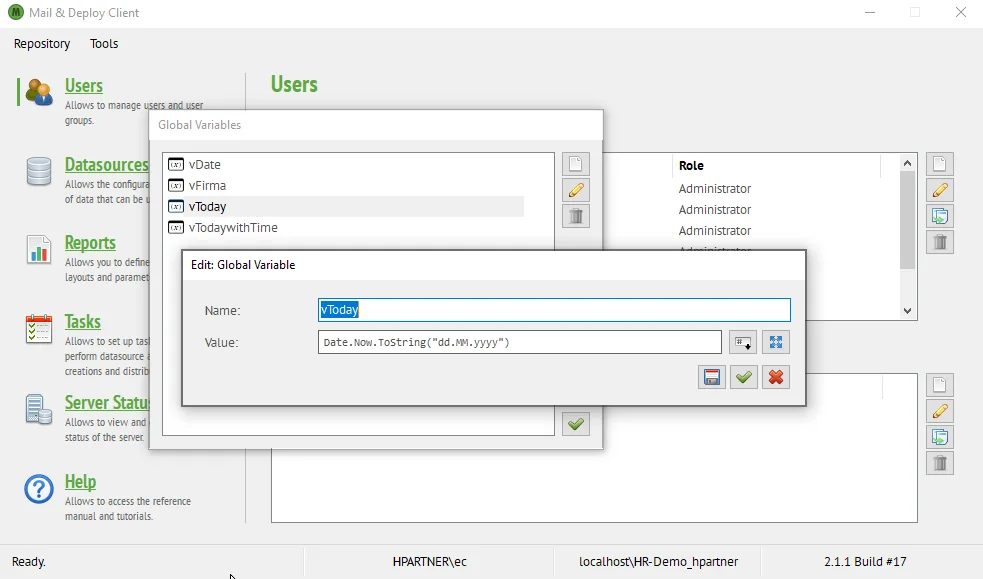 Edit Global Variables in Mail & DeployDefine Global Variables
It is particularly useful if you need an expression in many locations within a repository; instead of copying a single expression to multiple locations, you can set a global variable to the value of that expression and then reference the global variable wherever you need it.
Global variables give you even more flexibility in your reporting.
Use a global variable when you filter a field.
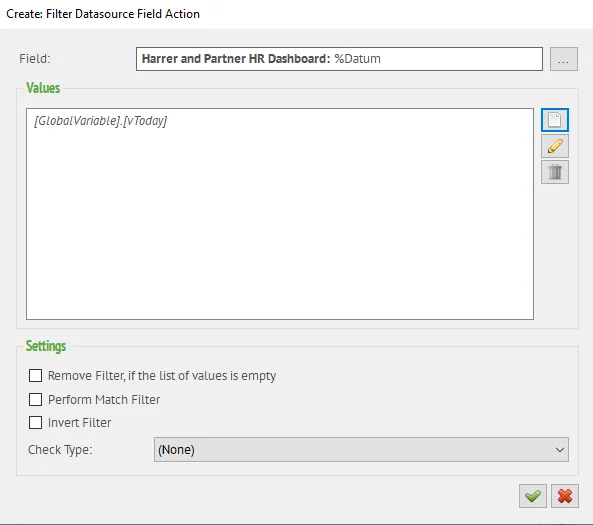 Filter Datasource Field with Global VariablesGlobal variable used when filtering a field
Or use it in a text element.
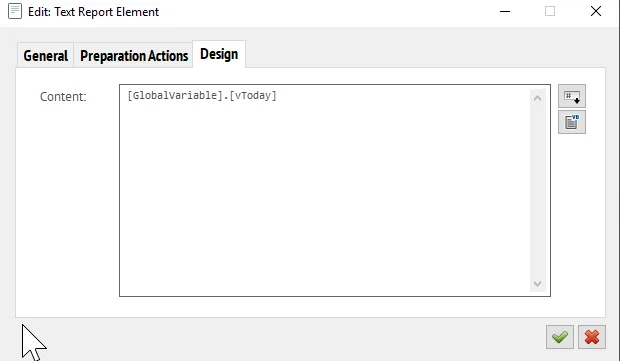 Text Report with Global VariablesGlobal variable used in a text element
And our favourite use of global variables, when naming files with a timestamp.
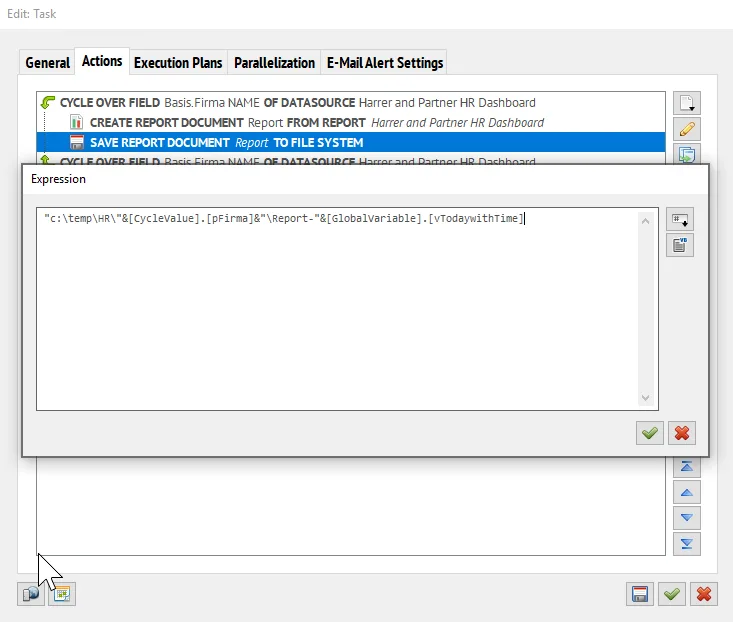 Features Friday: Global Variables in ActionsNaming files with a timestamp using global variables
For more detailed information about global variables in Mail & Deploy, please refer to our Knowledge Base article “Global variables”.
Using global variables in Mail & Deploy gives you even more flexibility in your reporting out of Qlik®. With this feature, you can set a variable to the value of an expression and then re-use the global variable wherever and whenever you need it.
Want to see more of our feature-rich reporting software for Qlik®? Then do not wait any longer, book your Mail & Deploy product tour right away!