
How Mail & Deploy works with Power BI
Mail & Deploy connects to your Power BI semantic model, not to an existing report. What comes out is a new document built from the same data.
That means the output isn't a copy of an existing Power BI report. It's a document built from the same data: an Excel workbook that keeps calculating, a Word document with a required layout, a deck for the board - generated per recipient and delivered on a schedule.
Wondering how this differs from what Power BI does natively? Subscriptions, paginated reports and Power Automate cover a defined scope - where that scope ends is set out on Power BI report automation.
Connect the semantic model
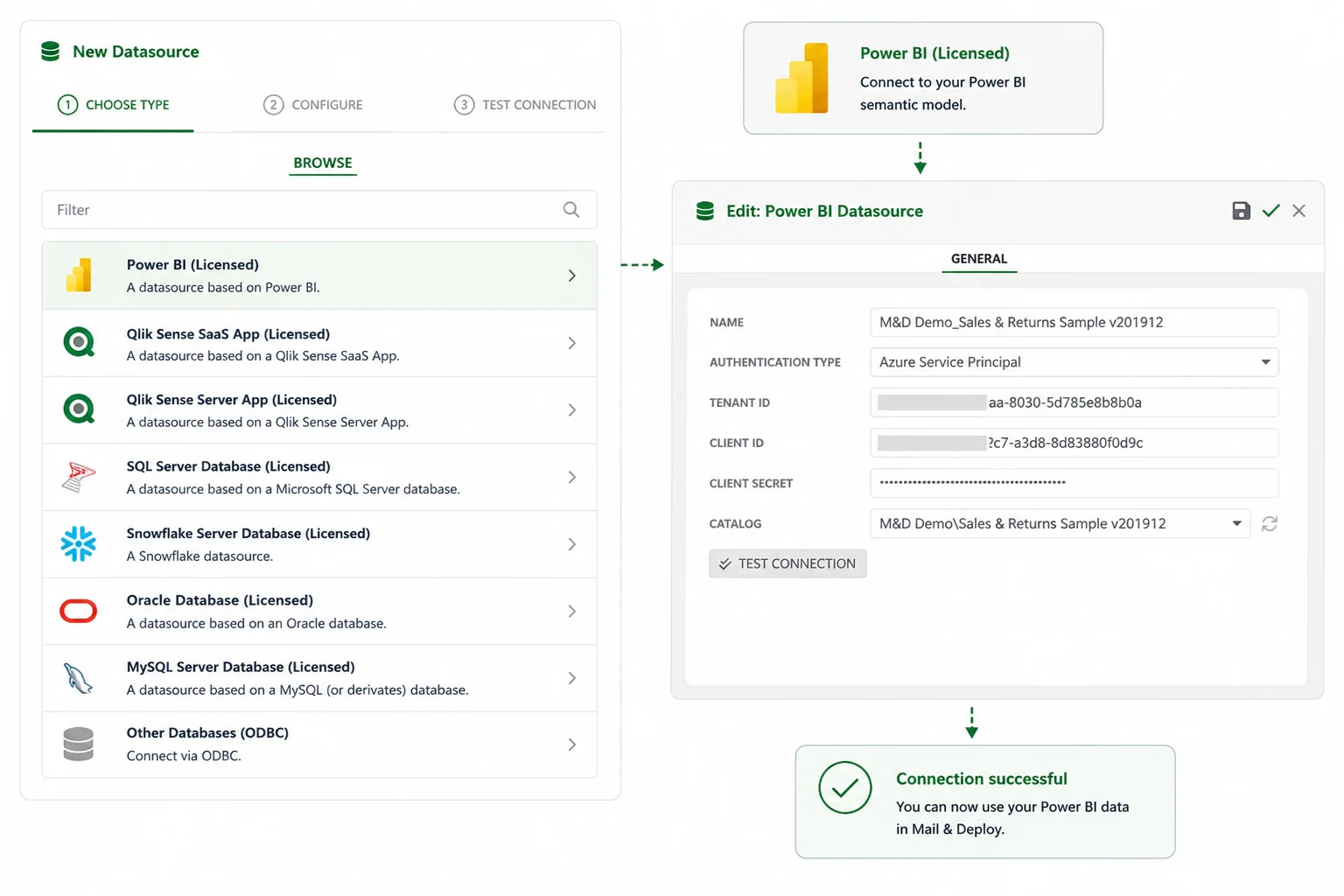
Mail & Deploy connects to the semantic model, not to the report. You authenticate with an Azure Service Principal - tenant ID, client ID and client secret - and select a catalog, which is the combination of a Power BI workspace and a semantic model. From there the model is queried directly and the results land in your template.
No data is copied or duplicated, and the existing workspace and data model stay unchanged. Several catalogs can be connected at the same time, and a single report can draw from more than one of them - including Qlik® and database sources alongside Power BI.
Design the report template
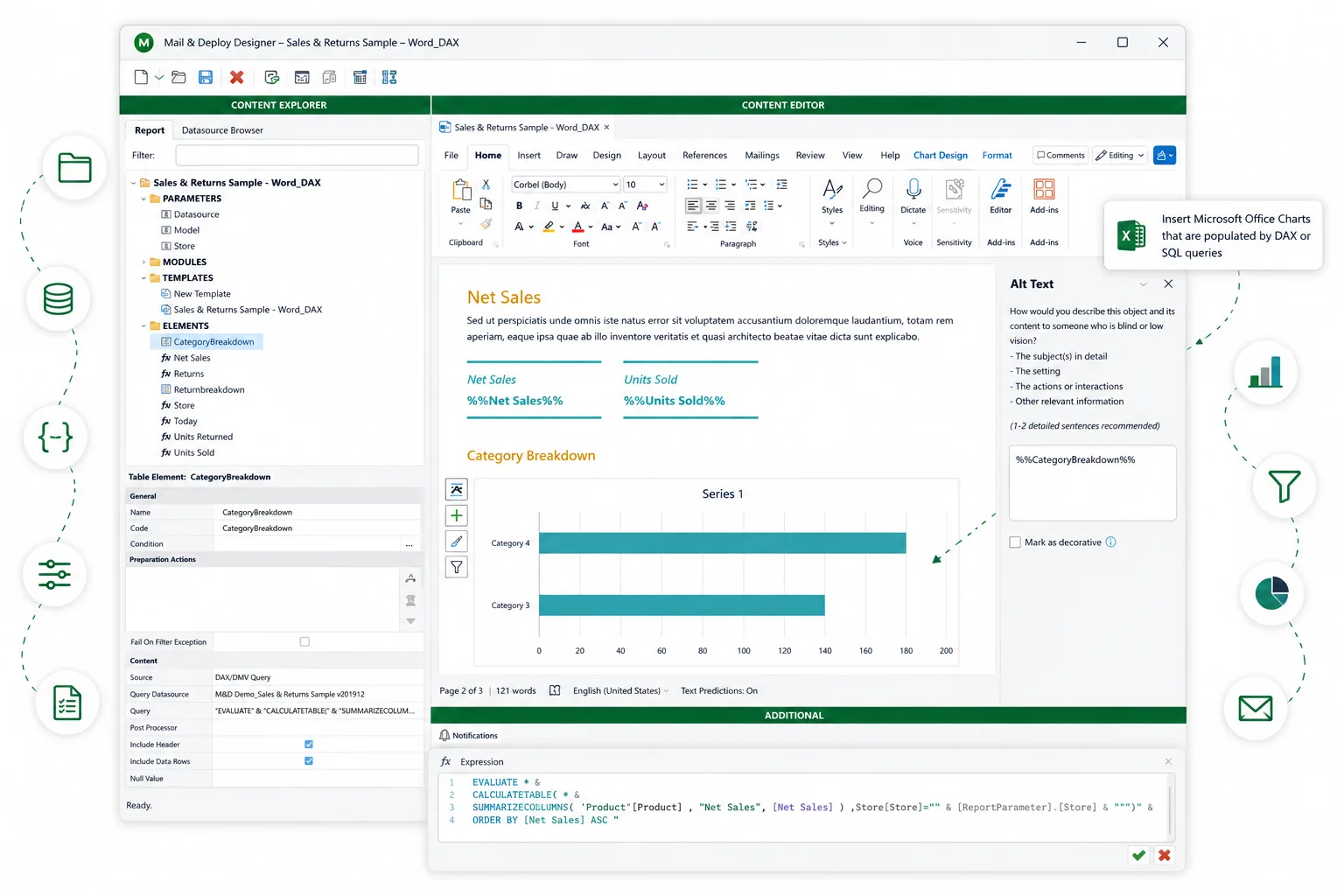
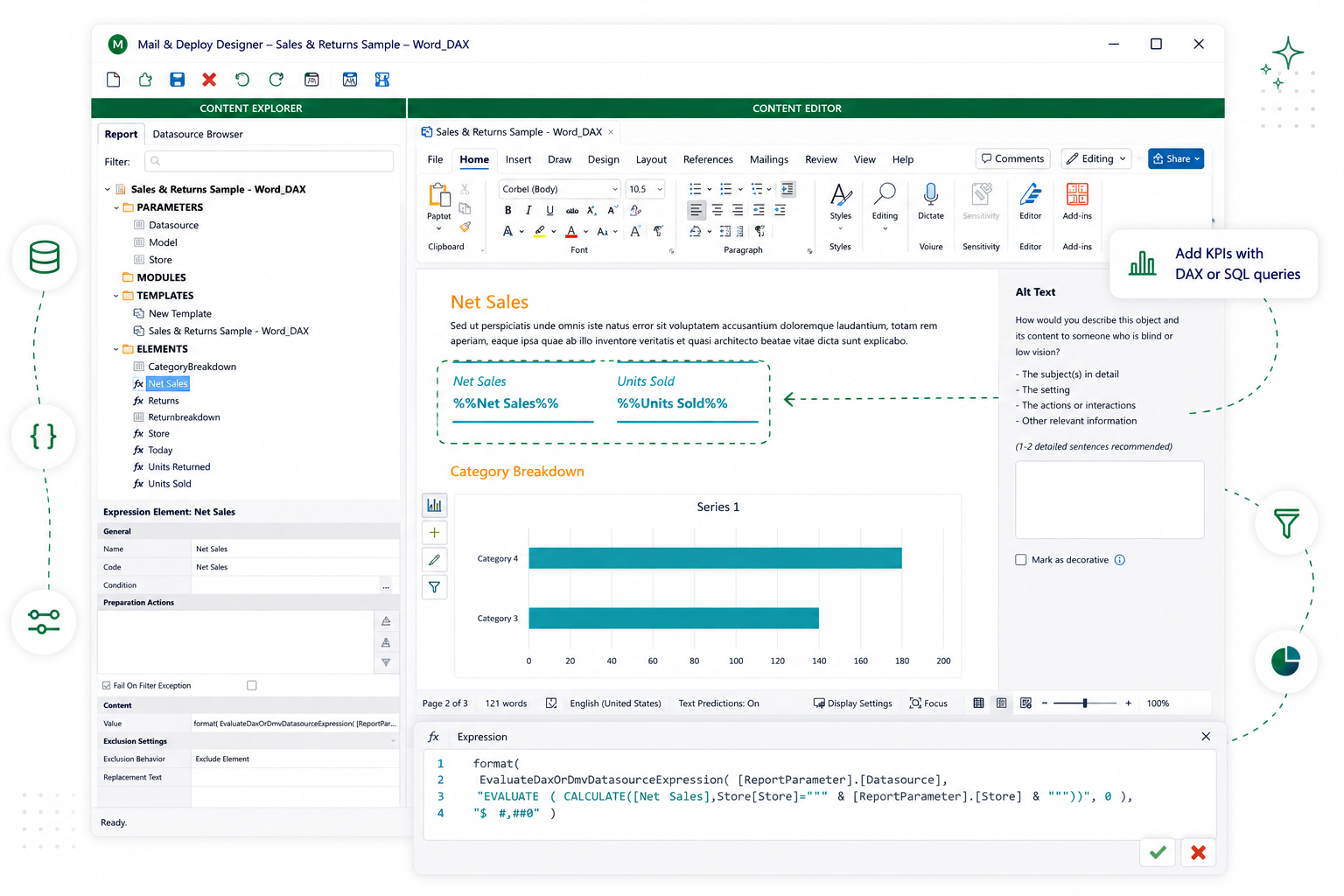
Templates are built in the tools your recipients already use - Excel, Word, PowerPoint, HTML - or in the built-in designer. You place fields and measures into the layout: charts, tables, KPIs, individual values. The surrounding document stays yours, including existing formulas, corporate styling and any structure a regulator expects to see.
An Excel template keeps calculating after delivery. That is the difference between a report and an export: the recipient can keep working in the file rather than starting a new one.
From here on, nothing depends on where the data came from. The template designer, the schedule and the delivery log look the same whether the source is Qlik®, Power BI or a database.
Each additional data source is licensed separately.
Decide who gets which numbers
This is the step that removes the manual work. Instead of one report per recipient group, you define one template and one rule for how it varies.
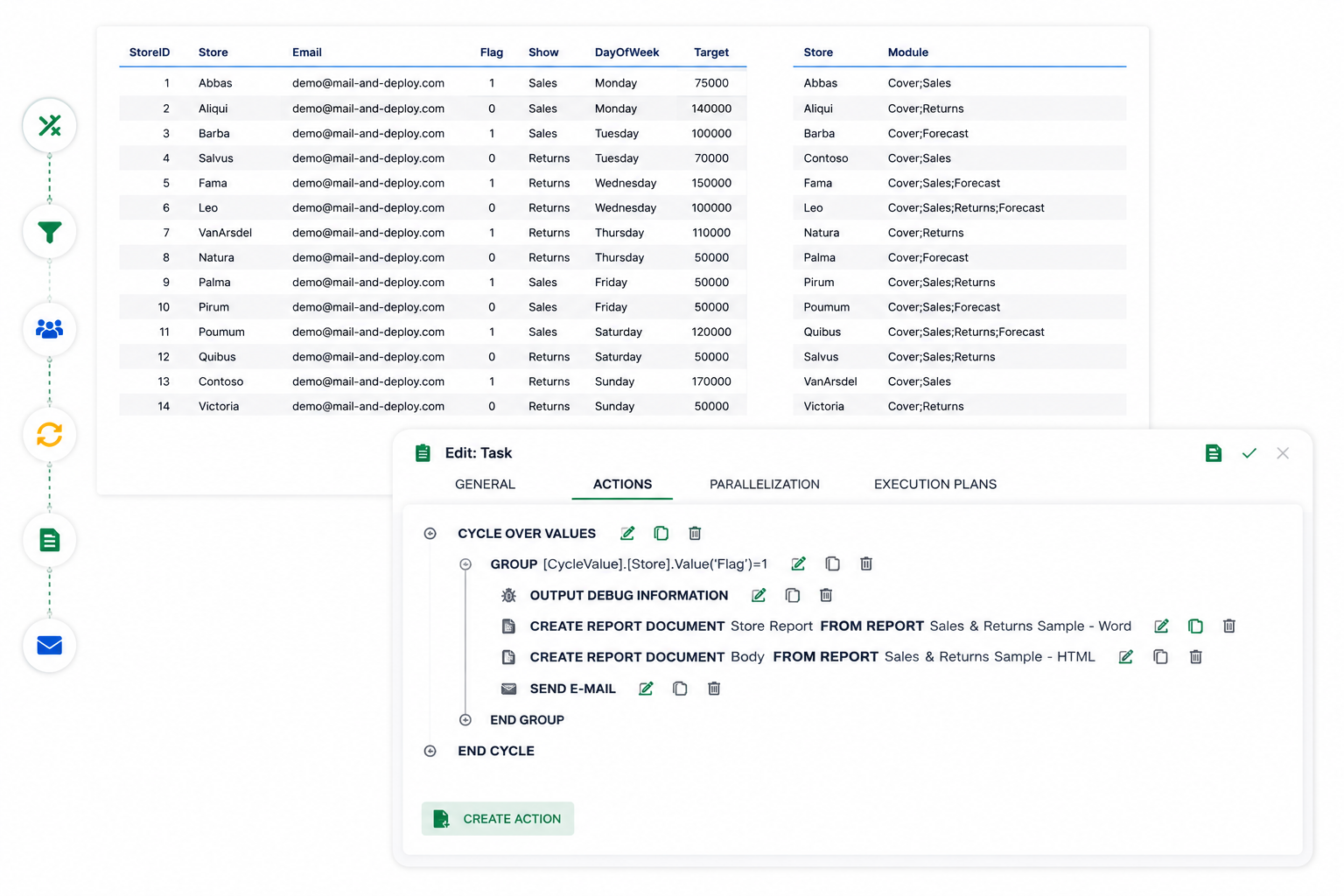
You pick a column to burst on - region, cost centre, account manager, customer. Mail & Deploy generates one report per distinct value of that column, applies the matching filter to every element in the template, and pairs each output with the right recipient. One template, one execution plan, four hundred different documents.
Schedule and deliver
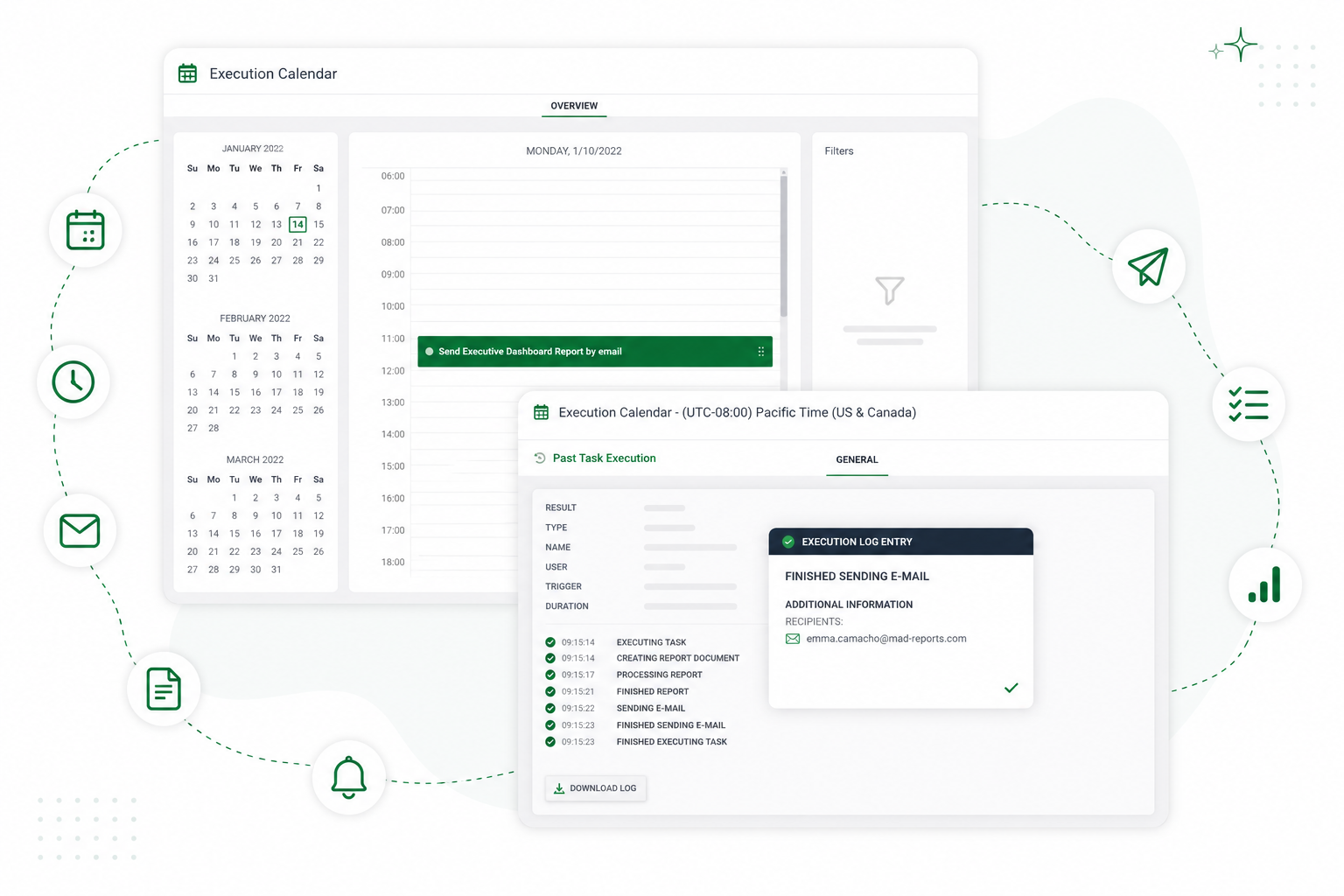
Reports run on a schedule - daily, weekly, on the first working day of the month, at a fixed time in a fixed timezone. Execution tasks run in parallel, so a large distribution finishes inside a delivery window rather than trickling out over hours.
Delivery goes to email, file server, FTP, Microsoft SharePoint and Teams, OneDrive, Dropbox, AWS S3, Google Drive, or the Mail & Deploy Hub. Every execution is logged: what ran, what it produced, where it went, and what failed.
See it in action
Connecting a Power BI tenant, building the report, automating the delivery - the full sequence in one run.
Playing the video loads content from YouTube.
What you need in place
- Power BI licence with XMLA access
- Mail & Deploy reads the semantic model through the XMLA endpoint, which requires Premium, Premium Per User or Fabric capacity - it is not available under Power BI Pro. XMLA read access has to be enabled for that capacity (Microsoft position checked 9 September 2026).
- Azure app registration
- a registered app with a client secret
- Workspace access
- the app added as a Member under 'Manage access' in the Power BI workspace
- Fabric tenant setting
- 'Service principal can call Fabric public APIs' enabled under Admin Portal › Tenant settings › Developer settings
- Mail & Deploy release
- Power BI datasources require release 3.6 or higher
- Requirements
- Current hardware, software and network requirements are maintained in the documentation. View requirements.
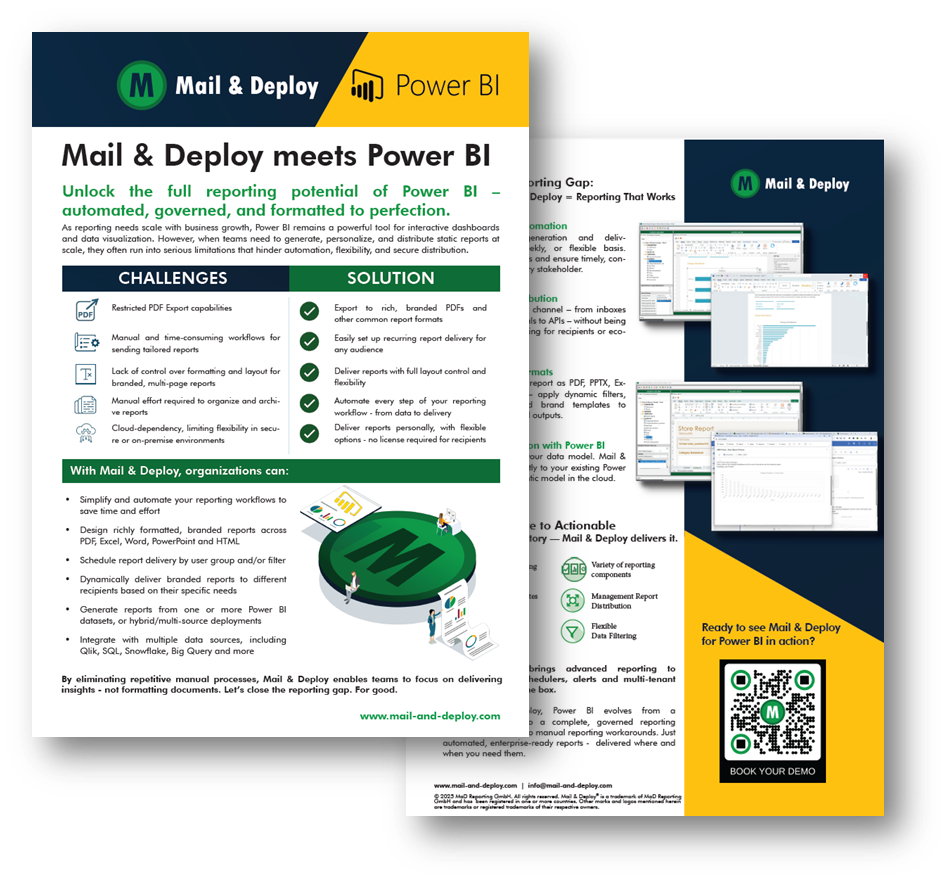
Mail & Deploy for Power BI
Product Factsheet
Explore the key features, benefits and capabilities of Mail & Deploy for Power BI. Learn how to automate reporting, distribute information and empower users with self-service reporting.
Frequently asked questions
Set this up against your own semantic model
Connect one workspace, build a first report together, and see what the output looks like in your template.