
Design
Design engaging reports
Reports are built in Excel, Word, PowerPoint or HTML. Whatever is in the template survives delivery.

01 · Design
Drag & drop creation
The designer creates and adjusts report elements by drag & drop. Elements keep their data binding while you move or resize them. Layout changes never require re-selecting the underlying object.
- Position and resize elements without re-selecting the data object

02 · Design
Multiple templates by report
A report supports more than one underlying template, so similar but slightly different reports - multiple languages, for example - come from one definition.
- Several templates per report, e.g. one per language

03 · Design
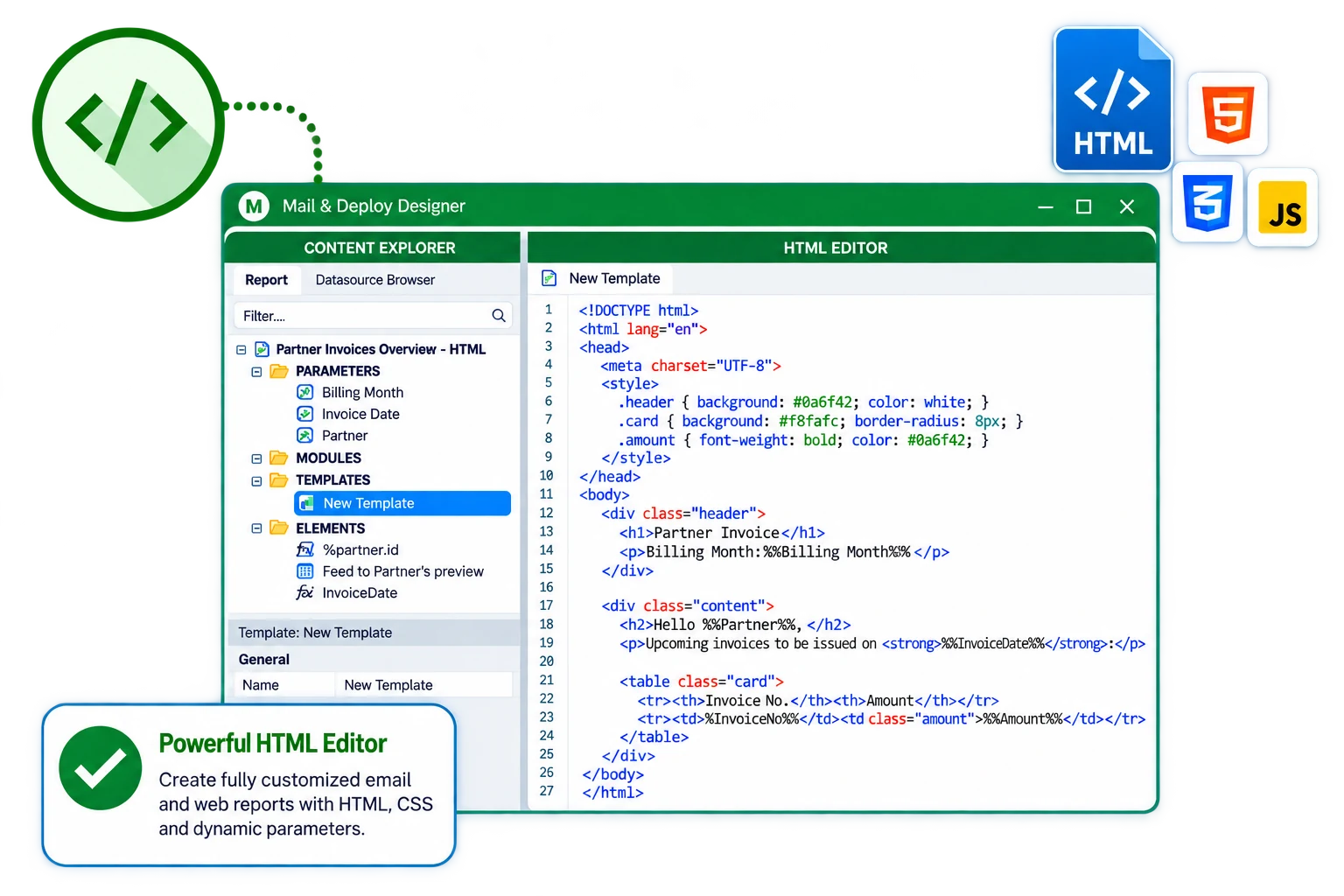
Enhanced HTML editor
The HTML template editor formats HTML reports down to the markup. HTML reports can also be inserted directly into an e-mail body. You can edit the generated markup directly or paste your own, and the editor keeps the data placeholders working inside the custom HTML.
- HTML reports can be placed directly in the e-mail body
04 · Design
Reporting components
Build reports from charts, pivot tables and tabular view components. Tables, charts, images, text and containers can be combined in one template, each bound either to a datasource object or to an expression you define.
- Charts, pivot tables and tabular views

05 · Design
Conditions
Inside a report, a condition decides which parts are included. A section or a row is kept when its condition is true for the data of the current execution and left out when it is not.
