 Feature Friday: Alerting
The Alerting Feature in Mail & Deploy allows decision-makers to receive critical business information in the quickest and most efficient possible way. They will never miss out on critical business opportunities or be unaware of the urgent business matters.
Welcome to a new #Feature Friday!
In the world of Qlik® users, “Alerting” is on everyone’s lips right now. But did you know, that Alerting for QlikView® and Qlik Sense® is a basic feature of Mail & Deploy?
With Mail & Deploy’s extensive alert feature, you can build perfect workflows for your Qlik® analyses. If the threshold values of various key figures are exceeded or undershot, the responsible decision-makers will automatically receive an email with a report, corresponding information, a link to the app and/or the request to take action - for even more overview, transparency and control!
Check out this video and convince yourself of the Alerting in Mail & Deploy:
The Alerting Feature in Mail & Deploy allows decision-makers to receive critical business information in the quickest and most efficient possible way. They will never miss out on critical business opportunities or be unaware of the urgent business matters.
Find out more in a webinar and get your free test version now!
Here is the Alerting workflow in detail:
Use enhanced Filter Options and Cycle Actions
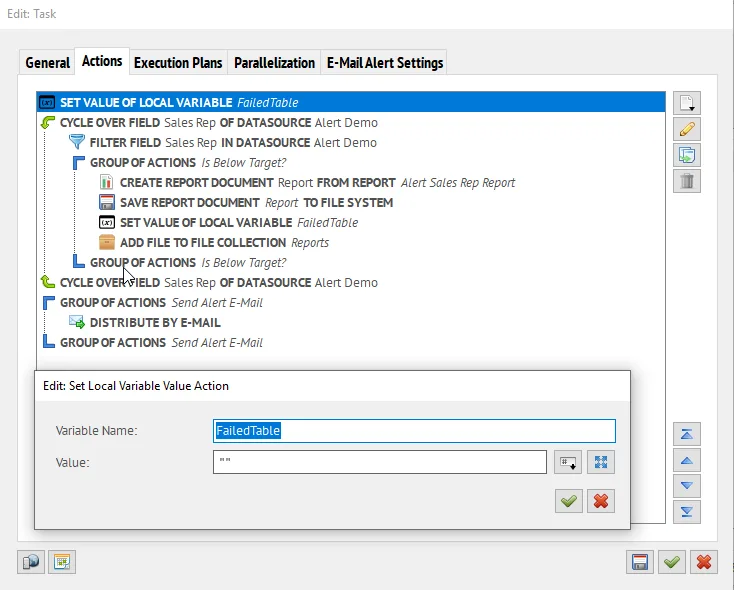 Alerting Actions in Mail & Deploy
Customize your Local Variable Value with Expression
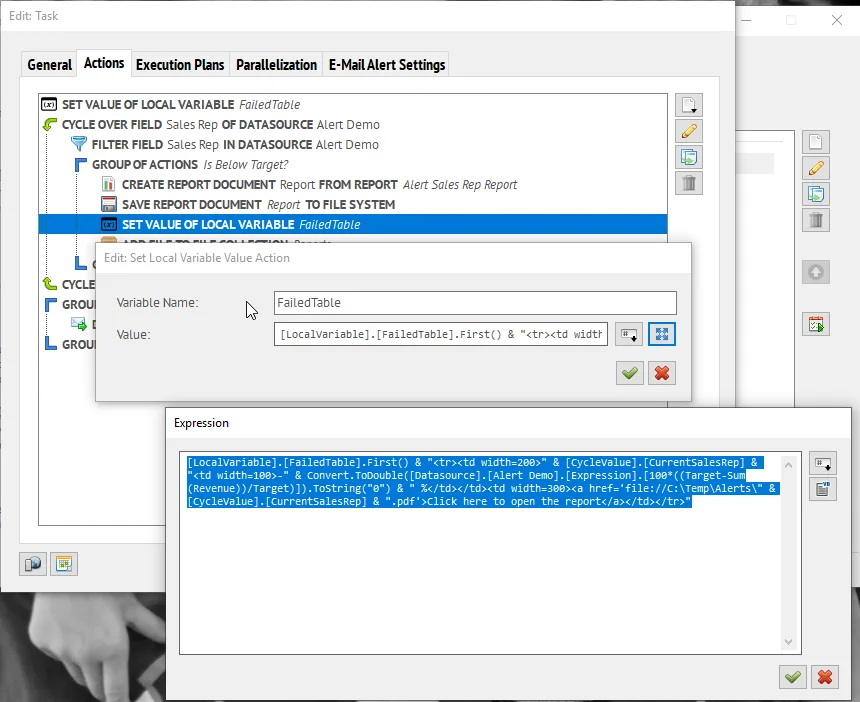 Expressions in Mail & Deploy
Choose the delivery channel
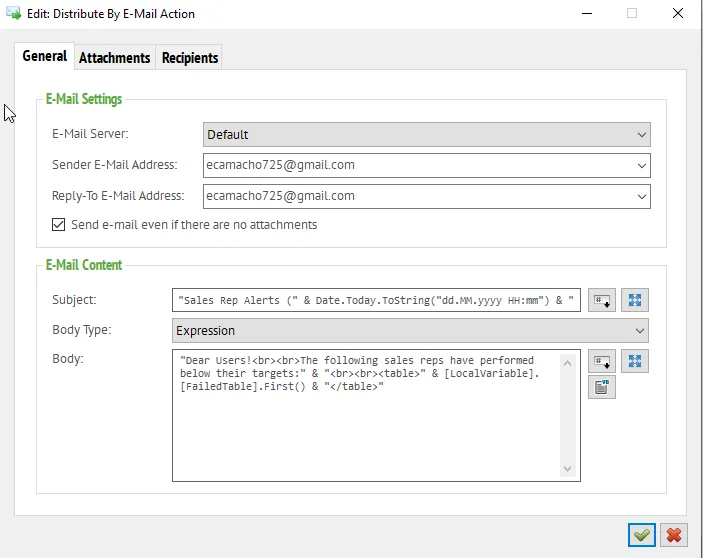 Email-Alerting with Mail & Deploy